

Home
About Us
Contact
Internal Hire Cost Calculator

Revolutionizing IT Operations for Modern Businesses

Empowering you with high-quality managed services
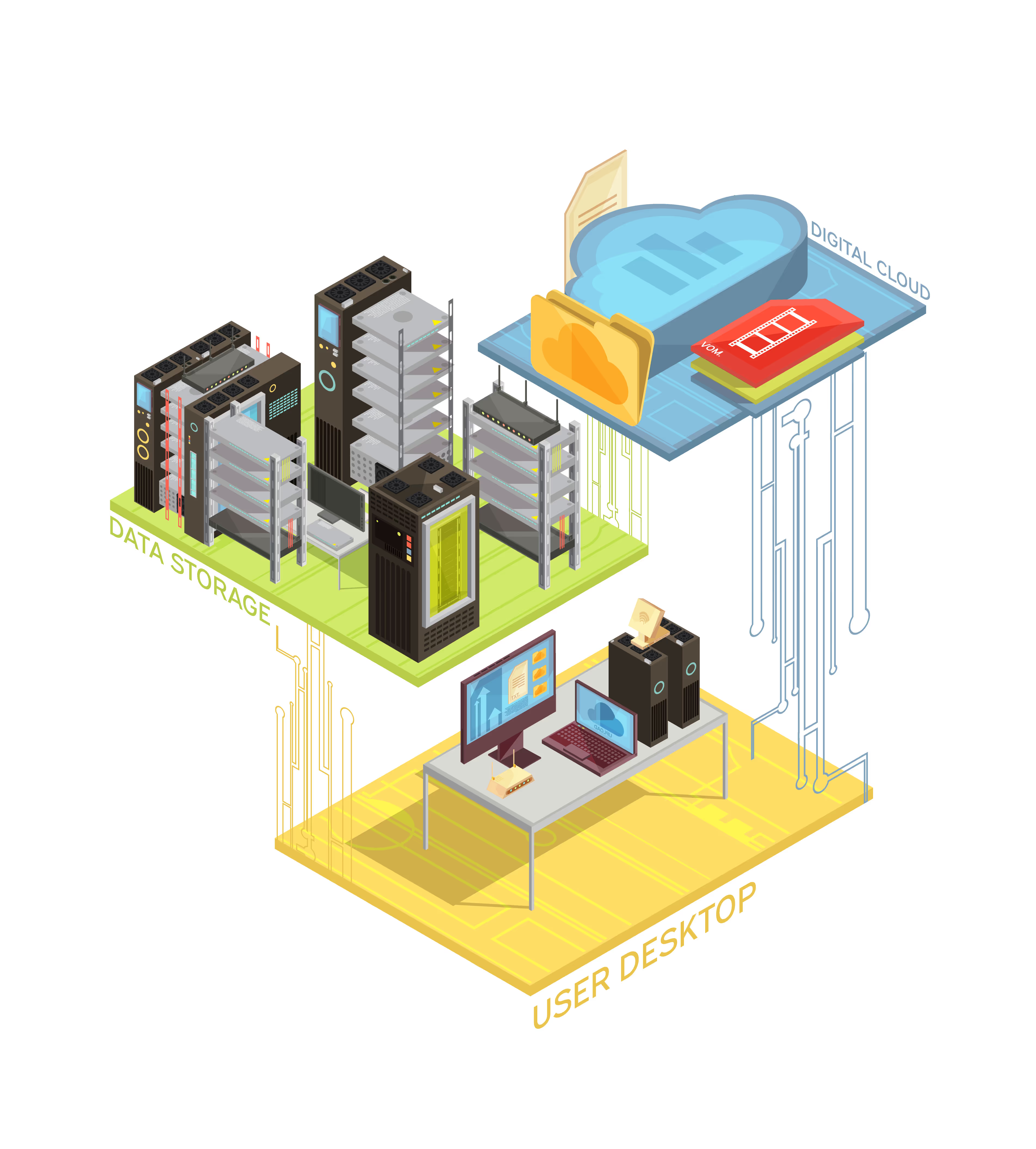
Isometric illustration showing three layers of technology: data storage servers, a user desktop with computer and router, and a digital cloud with files and media icons.
TRUSTED BY
logo of microsoft
logo of sentinelone
logo of bitdefender
logo of malwarebytes
logo of acronis
logo of microsoft
logo of sentinelone
logo of bitdefender
logo of malwarebytes
logo of acronis

Why an MSP like us is The Right Choice for You

Icon of lightning

Skilled Support

Get help from not just a single individual, but a team of highly-skilled, dedicated technical support, that will escalate any complex issues to more qualified individuals with rapid response.

Icon of tools

Premium tooling

Tools are undeniable one of the most important details in determining the quality of Managed Services, so we do not skimp on our tools, and we curate and include only the most premium tools in our Assurance Packages.

Icon of white scale

Better ROI than Internal Hiring

At Lucidth Systems, we understand the importance of maintaining efficient IT Operations. That's why our staff are well-trained, and includes highly specialized engineers who resolve complex and non-standard issues that internal teams that are typically limited to generalist roles, cannot efficiently handle.

Whether you're a startup or SME, you could gain access to advanced expertise, reliable support, predictable & cost-efficient IT Operations by subscribing to our services.

We also have a Cost Calculator that you could use to make your own comparison.

Icon of shop

Vendor Assessment, Procurement & Post-Purchase Support

Have any needs for hardware or services, but unsure of where to get started? We'll do the entire vendor lifecycle management for you, included in our Premium Assurance Packages, that will ensure you get what you asked for, with the most optimal price to performance ratio.

We follow a Simple, Proven Process for
Reliable Managed Services

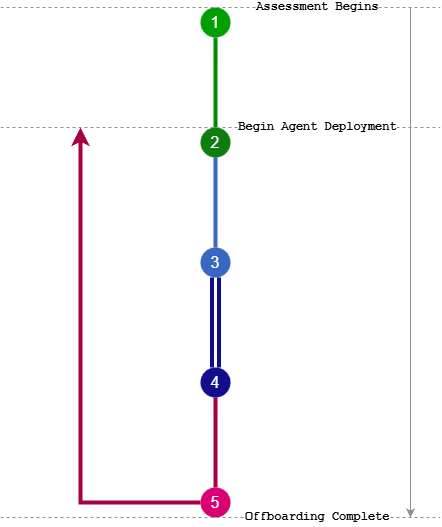
Vertical workflow diagram with numbered steps 1 to 5 connected by colored lines, depicting stages from assessment begins to offboarding complete.
1. Discovery & Assessment
We will assess your environment and determine the most appropriate approach to meet your requirements.
2. Onboarding & Transition
Once the decision has been made to further proceed, secure access setup, tooling deployment, documentation, and service handover into managed operations will begin.
3. Managed Operations / Service Delivery
Ongoing monitoring, maintenance, support, and change handling under the agreed Service Level Agreement.
4. Feedback Loop
Regular or ad-hoc reviews, reporting, client feedback, optimization, and service adjustments.
5. Offboarding & Knowledge Transfer
Secure access revocation, documentation handover, data return, and transition support if services end.

ASSURANCE PLANS

Get started with our Managed Services.

SILVER
Icon of checkmark
Unlimited support tickets within Fair Use
Icon of checkmark
Support hours - 9am to 6pm
Icon of checkmark
Response Within 4-6 hours
Icon of checkmark
SentinelOne Control
Icon of checkmark
Premium RMM
Icon of checkmark
Patch Management
Icon of checkmark
Weekly and Monthly Health Reports
Icon of checkmark
Documentation of KB Articles
Icon of checkmark
IPAM of CIDR & Subnets
Icon of checkmark
Asset Management for Workstations
Minimum 5 devices per month
GOLD
Popular
Icon of checkmark
Unlimited support tickets within Fair Use
Icon of checkmark
Support hours - 9am to 7pm
Icon of checkmark
Response Within 2 hours
Icon of checkmark
SentinelOne Complete
Icon of checkmark
Premium RMM
Icon of checkmark
Patch Management
Icon of checkmark
Weekly and Monthly Health Reports
Icon of checkmark
Documentation of Processes and KB Articles
Icon of checkmark
IPAM of CIDR, Subnets, DHCP, and Static IPs
Icon of checkmark
Asset Management for Workstations, Printers, and Network Devices
Icon of checkmark
Vendor Assessment and Procurement
Icon of checkmark
One free on-site visit per month
Minimum 8 devices per month
DIAMOND
Icon of checkmark
Unlimited support tickets within Fair Use
Icon of checkmark
Support hours - 9am to 9pm
Icon of checkmark
Response Within 1 hour
Icon of checkmark
SentinelOne Complete + SentinelOne Network Discovery
Icon of checkmark
Premium RMM
Icon of checkmark
Patch Management
Icon of checkmark
Weekly and Monthly Health Reports
Icon of checkmark
Documentation of Processes, KB Articles, and more
Icon of checkmark
IPAM of CIDR, Subnets, DHCP, and Static IPs
Icon of checkmark
Asset Management for Workstations, Printers, Network Devices, and Custom Assets
Icon of checkmark
Vendor Assessment, Procurement, and Post-Purchase Support
Icon of checkmark
Appropriate CIST Controls Compliance
Icon of checkmark
Starts from two free on-site visits per month
Minimum RM1800 per month

Contact us

Whether you’re interested in our services or have other questions, we’d be happy to hear from you.
Icon of mail
enquries@lucidth.com
Icon of phone
+6017-4686817
Icon of maps marker
1001 Block A, No.1, Jalan SS20/27, Damansara Intan, Petaling Jaya, Selangor.
View in Maps
Thank you! Your submission has been received!
Oops! Something went wrong while submitting the form!

FAQs

What is an MSP?

Icon of arrow pointing upwards

MSP stands for Managed Service Provider.

It is where your IT operations are managed by a third party instead of having in-house hires.

A good MSP would proactively manage and monitor IT systems, which includes networks, servers, endpoints, cloud services, and security on an ongoing basis instead of reacting only when something breaks.

Why use an MSP?

Icon of arrow pointing upwards

Working with an MSP is typically a lot cheaper than in house hiring when you do not have sufficiently large IT Operations to justify hiring an in-house team.

You'll also be getting more experienced support from an MSP compared to if you hire less experienced labor.

How do I know if I'll benefit from using an MSP?

Icon of arrow pointing upwards

You can have a look at our Internal Hire Cost Calculator, and compare the monthly total to our plans' pricing multiplied by your number of devices.

If your hire's monthly total is greater than or similar to our plan's total price, then you'll be better off using our services instead.

What size of business uses MSP?

Icon of arrow pointing upwards

- Businesses with fewer than 50 employees almost always gain significant value from using a Managed Service Provider (MSP), as maintaining a full in-house IT team is typically inefficient at this size.

- Businesses with 51–100 employees continue to benefit strongly from an MSP, as their IT needs increase but still do not usually justify a fully staffed internal team.

- Businesses with 100–200 employees can still benefit from an MSP; however, the level of benefit depends largely on the skill, experience, and coverage of any in-house IT personnel they employ.

- Businesses with more than 200 employees generally either operate with a co-managed IT model alongside an MSP or rely primarily on a fully developed in-house IT team, using MSPs only for specialized support or overflow capacity.

What services do MSPs usually provide?

Icon of arrow pointing upwards

MSPs often provide the following services :

- Helpdesk & User Support

- Endpoint, Network & Server Monitoring

- Patch Management

- Endpoint Security & Antivirus

- Backup & Disaster recovery

- Microsoft 365 Support

- Vendor Coordination

Do MSPs provide 24/7 Support?

Icon of arrow pointing upwards

Most MSPs provide support for standard working hours or is slightly extended beyond that.

Automated Monitoring & Alerting however, does operate 24/7.